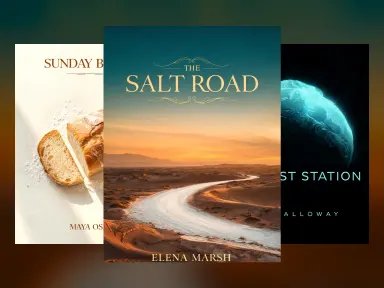
Made with this app


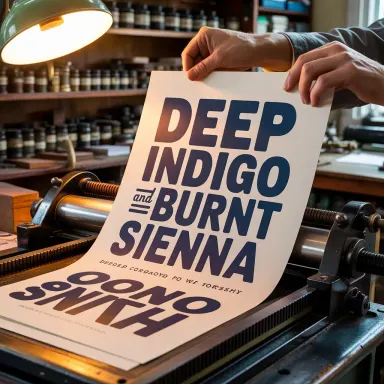



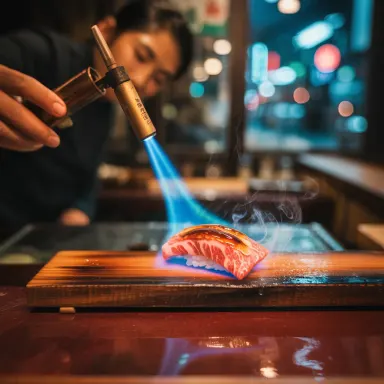





This app runs on Ideogram V3, a model built specifically for images where readable, accurate text is non-negotiable. If you create marketing materials, event posters, product labels, social media graphics, or any composition where words must appear legible and correctly spelled inside the image itself, Ideogram V3 is the right tool. Its strong semantic understanding means it grasps layout intent, not just visual style, making it the go-to choice for designers, marketers, and small business owners who need polished, type-forward visuals without manual touch-ups.
How to use this app
- 1
Describe what you want to create, or upload your source file.
- 2
Pick your options, then press Generate.
- 3
Watch your result appear in the gallery within moments.
- 4
Download, share, or generate again with a new idea.
What you can make
Social Media Ad Graphics
Ideogram V3 renders promotional text, taglines, and calls to action directly inside a composed image without spelling errors or distorted letterforms. Marketers can generate ready-to-use ad graphics with accurate copy embedded, cutting the round-trip to a design tool for basic text placement.
Event and Concert Posters
Posters live or die by legible type. Ideogram V3 handles artist names, venue details, and dates set within illustrated or photographic backgrounds, keeping every character crisp and correctly formed even at small sizes within the generated composition.
Product Packaging Mockups
Brand teams can visualize label concepts with accurate product names, ingredient callouts, or slogans rendered onto packaging shapes. Because Ideogram V3 understands semantic context, it places text where it belongs visually rather than floating it arbitrarily across the frame.
Typographic Quote Cards
Content creators who publish inspirational or informational quote graphics get clean, styled lettering that reads correctly at a glance. Ideogram V3 pairs font aesthetic choices described in the prompt with accurate character rendering, producing shareable cards that need no correction.
Signage and Retail Display Concepts
Retail designers can mock up storefront signs, price boards, or in-store promotional displays with accurate text in place. Ideogram V3 interprets layout descriptions well enough to position headlines, subheads, and supporting copy in a visually coherent hierarchy.
Prompt ideas to try
Why creators use this app
- Best text rendering
- Marketing materials
- Posters
- Strong semantics
Tips for better results
Spell Out Every Word Exactly
Type the exact text you want to appear in the image, quoted if possible, with correct spelling and punctuation. Ideogram V3 renders what it reads in your prompt, so precision in your input translates directly to accuracy in the output.
Describe Font Style and Weight
Rather than leaving typography to chance, specify attributes like 'bold condensed sans-serif,' 'vintage slab serif,' or 'hand-lettered script.' Ideogram V3's strong semantic understanding converts these style signals into visually appropriate lettering choices.
Choose Balanced for Final Deliverables
Balanced rendering mode takes longer but produces higher fidelity text and detail. Use Turbo to iterate quickly on layout concepts, then switch to Balanced when generating the version you intend to use or present.
State Text Placement Explicitly
Include positional language in your prompt such as 'headline centered at the top,' 'text overlaid on the lower third,' or 'title inside a banner ribbon.' Ideogram V3's semantic understanding responds to layout instructions, reducing unwanted text placement.
When to choose this app
Choose this app over Seedream v3, Seedream v4.5, or FLUX.1 Dev when accurate, legible text inside the generated image is a core requirement rather than an afterthought. Those models excel at photorealism, artistic rendering, or general image quality, but none prioritize in-image typography the way Ideogram V3 does. If your output is going to a client, a feed, or a print run and it contains words, this is the correct starting point.
Frequently asked questions
How many words or characters can Ideogram V3 reliably render inside a single image?
There is no hard character limit, but shorter, focused text strings produce the most reliable results. A headline plus a short subhead or tagline tends to render cleanly. Very dense paragraphs or long lists within a single image increase the chance of minor character errors, so keep text blocks concise for best accuracy.
Can I control where specific text elements appear in the composition?
Yes. Ideogram V3's strong semantic understanding means positional language in your prompt, such as 'title at the top,' 'label centered on the bottle,' or 'text in the lower third,' is interpreted meaningfully. Clear spatial instructions produce more predictable layouts than generic prompts without placement guidance.
Does Ideogram V3 work well with non-English text or special characters?
Ideogram V3 performs best with Latin alphabet text. Results with non-Latin scripts, accented characters, or special symbols may vary and should be tested with your specific language before committing to a production workflow. Always review generated text carefully when working outside standard English characters.
What is the difference between Balanced and Turbo rendering for typography-heavy images?
Turbo completes generation faster and works well for rough concept exploration. Balanced takes longer within the stated speed range and generally produces sharper letterforms and more faithful color handling. For final marketing assets where text accuracy and detail matter, Balanced is the recommended choice.
Can I generate images that combine a photograph-style background with rendered text overlay?
Yes. Ideogram V3 handles compositions that blend realistic or illustrative backgrounds with typographic elements in a single generation. Describe both the visual scene and the text content in your prompt, including any contrast or style preferences, to guide how the two layers interact visually.
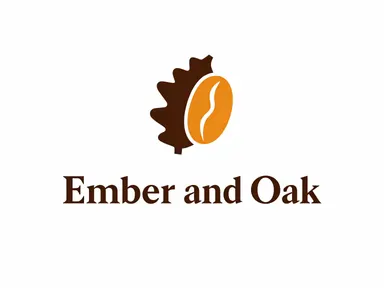
Is this app suitable for generating logo designs?
Ideogram V3 can produce logo-style concepts with text and iconography together, and its text accuracy makes it more reliable for this than most general image models. However, generated logos should be treated as creative starting points or mockups rather than production-ready files, since vector refinement is typically needed for final brand use.
How much does it cost?
Each generation costs 1 credit. New accounts get free credits to try it out.
Which AI model powers this app?
This app runs on Ideogram V3, available through Arteza with no separate account or setup.
Can I use the results commercially?
Yes. Content you generate is yours to use, subject to our content licenses.
How long does a generation take?
Most generations finish in under a minute, and you can watch progress live in the gallery.