Made with this app
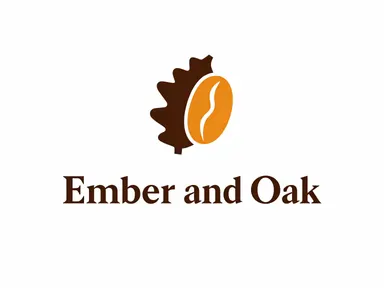
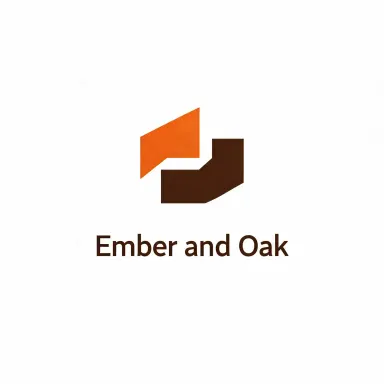
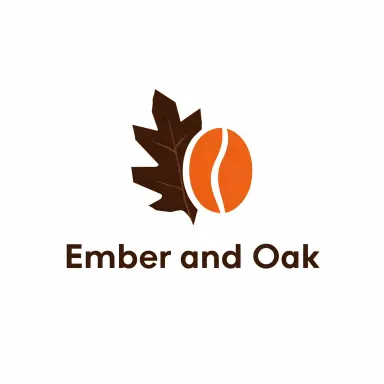
AI Logo Maker turns a typed brand name into a finished logo without requiring any design experience. You type the name, pick a style from the visual library, optionally tell the app what your business does, and receive a square 3072 by 3072 pixel logo ready to drop into a website header, business card or social profile. It is built for founders, freelancers and small teams who need a clean, printable mark quickly, without opening a design tool or briefing a contractor.
How to use this app
- 1
Upload your file. There is no prompt you have to write.
- 2
Pick a look from the visual library, add a note of your own if you want one, then press Generate.
- 3
Watch your result appear in the gallery within moments.
- 4
Download, share, or generate again with a new idea.
What you can make
New brand needs a mark fast
A founder registering a business name this week can type the name, pick "Solid shapes" and select the relevant trade chip, such as Coffee or Fitness, and have a polished, print-ready logo the same day. No brief, no back and forth, no waiting.
Testing multiple name ideas
When a team is still deciding between three candidate brand names, AI Logo Maker lets them visualise each one in the same style, side by side, so the choice becomes about how the name looks at scale rather than just how it sounds.
Wordmark for a personal project
A blogger, podcast host or independent consultant who wants a typographic identity without a symbol can use "Modern type" or "Elegant serif" to produce a clean, professional wordmark that works as a channel banner, email signature or watermark.
Trade-specific symbol without stock art
Selecting a trade from the row above the style grid, such as Health or Property, guides the symbol toward imagery that fits the sector. Combined with "Round badge" or "Crest", this produces a logo that reads as credible and purpose-built rather than generic.
Retro or stamp look for a market stall or pop-up
Vendors at craft fairs or pop-up shops often want a tactile, handmade feel. The "Retro" and "Ink stamp" styles produce marks that read as crafted and characterful, suited to stickers, paper bags and swing tags without needing an illustrator.
Shots to try
Tips for better results
Keep the name short
The app renders names up to 30 characters reliably. One or two words produce the cleanest result. A long compound name or a name with a tagline folded in risks letters shrinking or breaking across lines, so trim the name to its essential form before generating.
Use the trade row first
Before picking a style tile, set the trade chip that matches your business. Coffee, Pets, Health and the other options steer the symbol toward relevant imagery. On the four wordmark styles, the trade choice has no visible effect, so you can safely leave it on Any business for those.
Avoid accented characters in the name
The app warns you as soon as an accented letter is typed, and the warning is worth heeding. Accents in logos come back inconsistently: a mark with a misspelled name is not usable. Type the unaccented version and add a diacritic manually in your design tool if the final files need it.
Try two or three styles before deciding
The same name reads very differently as a "Monogram" versus a "Modern type" wordmark versus a "Retro" badge. Generating a small number of style variations before committing gives you a genuine choice rather than a guess, and the high resolution output of each means the comparison is like-for-like.
When to choose this app
AI Logo Maker is the right choice when you need a named, styled, print-ready logo mark rather than a general illustration. Seedream v3 offers reliable text-to-image with guidance control, and FLUX.1 Dev delivers high-quality image generation with fine control, but neither is built around the specific job of rendering a brand name inside a finished logo composition with a chosen trade and style. This app centres everything on that single outcome: a clean, centred, correctly lettered logo at 3072 by 3072 pixels, ready to use.
Frequently asked questions
Can I use AI Logo Maker if my brand name contains a number or punctuation?
The name box accepts numbers and standard punctuation, and the app will attempt to include them exactly as typed. However, the app is optimised for short alphabetic names of one or two words. A name with several numbers or unusual characters may not render as cleanly, so it is worth keeping the entry as simple as possible.
What is the difference between the style tiles and the trade row above them?
The style tiles decide the visual structure of the logo: whether it is a badge, a wordmark, a monogram, a crest and so on. The trade row above them tells the app what your business does, which steers the symbol toward relevant imagery. Fitness might produce a figure in motion; Coffee might produce a cup. On wordmark-only styles like "Modern type" and "Elegant serif", the trade choice has no visible effect.
Will the logo come back as an editable vector file?
No. Every logo is delivered as a square raster image at 3072 by 3072 pixels, which is large enough for print use. It is not an SVG, an EPS or a layered file, and it does not include separate font names or colour codes. If you need editable source files, you would use this output as a high-resolution reference to hand to a designer.
I typed my name in capitals but the signature style came back in mixed case. Is that a bug?
It is not a bug. "Signature script" is connected hand lettering, which has no capital letter forms by nature. When a name is typed in all capitals on that style, the app draws it in flowing mixed case letters to match the character of the script. Every other style renders the name in exactly the case it was typed.
Can I generate a version of my existing logo in a new style?
No. AI Logo Maker works from a typed name only. It cannot take an image of a logo you already own, redraw it or transpose it into a different style. If you want to explore a new visual direction for an existing brand, type the brand name fresh and choose a new style tile.
Which style works best for a logo that will appear on a dark background?
"App icon" tends to hold up best on dark backgrounds because the symbol is drawn in white on a coloured tile, making the boundary explicit. "Monogram" also works well for the same reason. Wordmark styles like "Modern type" and "Elegant serif" use a single dark colour, so they are better suited to light backgrounds unless you adjust the colour in a design tool afterwards.
How much does it cost?
Each generation costs 1 credit. New accounts get free credits to try it out.
Do I need any editing skills?
No. Upload your photo, pick the look you want from the library, and the app writes the full instruction for you behind the scenes. There is nothing to install and nothing to configure. A small optional box lets you add one line in your own words, but the app works without it.
Can I use the results commercially?
Yes. Content you generate is yours to use, subject to our content licenses.
How long does a generation take?
Most generations finish in under a minute, and you can watch progress live in the gallery.