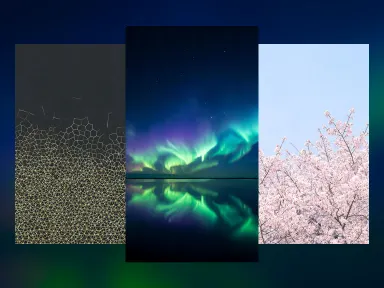
Made with this app
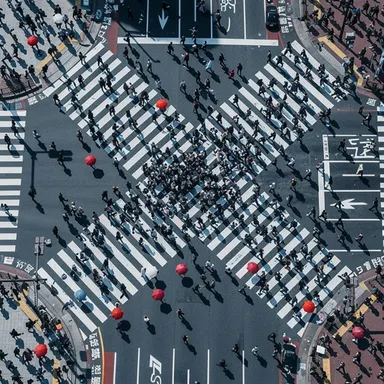






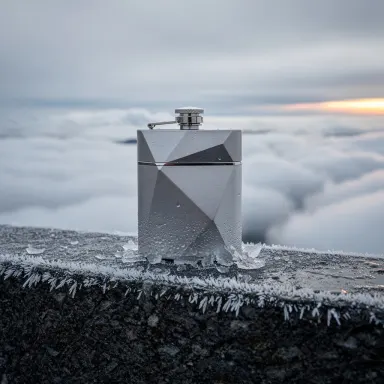
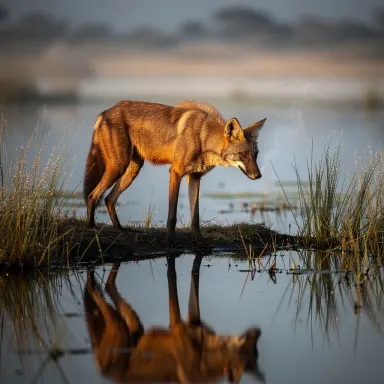



This app runs FLUX 2 Pro, Black Forest Labs' production-grade text-to-image model built for photorealism, reliable consistency, and enhanced typography rendering. It is designed for creators, marketers, and designers who need images that hold up under scrutiny: product mockups, editorial visuals, brand assets, and any scenario where soft or inconsistent results are not acceptable. FLUX 2 Pro delivers high-quality output in 10 to 20 seconds, making it practical for iterative professional workflows.
How to use this app
- 1
Describe what you want to create, or upload your source file.
- 2
Pick your options, then press Generate.
- 3
Watch your result appear in the gallery within moments.
- 4
Download, share, or generate again with a new idea.
What you can make
Product Mockup Photography
When a client needs a product shot without a studio, FLUX 2 Pro renders photorealistic surfaces, lighting, and materials convincingly enough for presentation decks and e-commerce listings. Its consistent quality means repeated generations stay on-model rather than drifting between attempts.
Readable Text in Visuals
Most image models mangle words. FLUX 2 Pro's enhanced typography support makes it viable for generating graphics where a label, headline, or short phrase must be legible, such as book cover concepts, poster layouts, or packaging prototypes.
Editorial and Campaign Imagery
Art directors sourcing reference imagery or placeholder visuals for campaigns benefit from the model's photorealistic style. Scenes involving people, environments, and objects read as credible photography rather than obvious AI illustration.
Brand Asset Exploration
Before committing to a photographer or illustrator, brand teams can use FLUX 2 Pro to explore visual directions. Consistent quality across a batch means multiple concept variations are comparable, not randomly varied in fidelity.
Architectural and Interior Visualization
Designers describing a space in precise language get back images where materials, light, and spatial relationships are rendered with photographic discipline, making early-stage client presentations more persuasive than rough sketches or stock photos.
Prompt ideas to try
Why creators use this app
- Production-grade
- Enhanced typography
- Consistent quality
- Photorealistic
Tips for better results
Specify Lighting Precisely
FLUX 2 Pro's photorealistic output responds well to explicit lighting descriptions. Terms like 'soft box lighting', 'golden hour side light', or 'overcast diffused light' steer the model toward the exact photographic quality you need rather than a generic result.
Keep Typography Short and Specific
The enhanced typography feature works best with short, clearly stated phrases. Place the text instruction near the start of your prompt, quote the exact words you want rendered, and specify a font style such as 'bold sans-serif' or 'italic serif' to improve accuracy.
Use Production-Oriented Language
Phrases like 'product photography', 'editorial photograph', 'commercial campaign image', or 'architectural visualization' activate the model's production-grade strengths. Vague style descriptors produce less consistent output than genre-specific references.
Iterate With Consistent Seed Prompts
Because FLUX 2 Pro emphasizes consistency, small prompt variations across a batch will yield comparable results. Build a stable base prompt for your scene or brand context, then adjust one variable at a time to efficiently explore options without losing coherence.
When to choose this app
Choose this app over FLUX.1 Schnell when output quality and photorealistic fidelity matter more than generation speed, and over FLUX.1 Dev when you need production-ready results rather than experimental or research-oriented outputs. Compared to Seedream v3 and Seedream v4.5, FLUX 2 Pro is the stronger choice specifically when readable in-image text or strict photorealism is a hard requirement.
Frequently asked questions
How well does FLUX 2 Pro actually render text inside images?
The model includes enhanced typography as a declared feature, which means it outperforms most generative image models on short, clearly specified phrases. Results are most reliable with fewer than eight words, a stated font style, and high contrast between text and background. Longer or stylized text strings remain more error-prone.
Can I use this app for consistent characters or subjects across multiple generations?
FLUX 2 Pro emphasizes consistent quality across generations, meaning fidelity and style stay stable. However, exact character or face consistency across separate prompts requires careful, repeated description of the same attributes in each prompt, as the model does not retain memory between generations.
What types of subjects benefit most from the photorealistic style?
Products, food, interiors, architecture, portraiture, and natural environments all benefit from FLUX 2 Pro's photorealistic rendering. Abstract or heavily illustrated styles are not this model's focus; if you need stylized or painterly output, a different app in the Arteza lineup would serve better.
Is 10 to 20 seconds per generation fast enough for iterative design work?
For most professional workflows involving review and refinement, yes. You can run several prompt variations in a few minutes. If you need near-instant drafts for rapid ideation, FLUX.1 Schnell is the faster sibling, though it trades some output quality to achieve that speed.
What level of prompt detail gives the best results with this model?
Moderately detailed prompts perform well. Include subject, environment, lighting, camera style, and any text you need rendered. Extremely sparse prompts leave too much to chance, while overly long prompts can dilute the model's focus. Aim for two to four specific descriptive phrases per key element.
Does the model handle complex scenes with multiple objects reliably?
FLUX 2 Pro's production-grade consistency helps with multi-element compositions, but spatial relationships between many distinct objects can still be imprecise. Structuring your prompt to prioritize the most important element first, then secondary details, tends to produce more coherent compositions.
How much does it cost?
Each generation costs 1 credit. New accounts get free credits to try it out.
Which AI model powers this app?
This app runs on FLUX 2 Pro, available through Arteza with no separate account or setup.
Can I use the results commercially?
Yes. Content you generate is yours to use, subject to our content licenses.
How long does a generation take?
Most generations finish in under a minute, and you can watch progress live in the gallery.