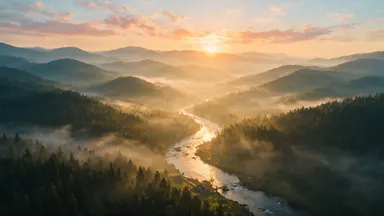
AI Video Generator
Made with these exact prompts
A curated set of results. Hover any tile and try the prompt yourself.
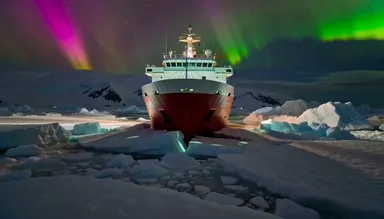 MiniMax H3 Max 4c
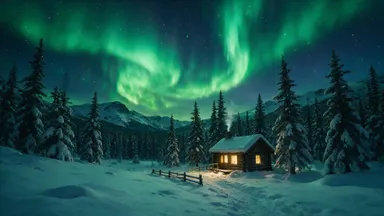
A polar research icebreaker cuts a slow furrow through pack ice in the Ross Sea at Antarctic midnight, the sky above erupting in curtains of electric-green and magenta aurora australis; wide locked shot from the bow watches the hull split floes apart, ice chunks rolling and glinting emerald in the auroral light, camera tilts up to let the aurora fill the entire frame, epic polar expedition cinematography.
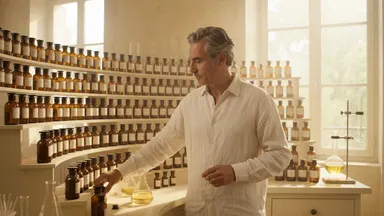 Gemini Omni Flash 1.1 2c
A master perfumer in a sunlit Grasse laboratory lifts tiny glass vials from a towering organ of scent bottles, uncapping each one to a bloom of invisible fragrance; slow lateral tracking shot glides across hundreds of amber bottles, camera pushes into an extreme close-up of a single drop falling from pipette into crystal flask, warm gold and pale ivory palette, artisan documentary cinematography.
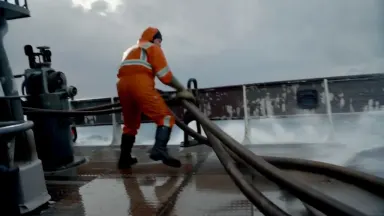 Runway Gen-4.5 9c
Dive tender managing umbilical hoses on the back deck of a dive support vessel in a choppy swell, tracking shot moves alongside at deck level, hoses coil and tighten as the vessel rolls, sea spray bursts over the stern rail and catches orange safety-suit colour, the deck tilts rhythmically, horizon rises and falls behind, overcast North Sea light, gritty documentary photoreal
 Kling O3 7c
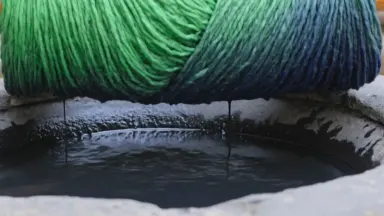
Skeins of freshly dyed wool lifted dripping from an indigo vat, the yarn oxidising from bright green to deep blue in the open air as it rises. Camera holds a close static frame at vat level, the dripping skein filling the upper half while indigo runs back into the dark surface below. The colour change sweeps across the wool continuously through the shot. Photoreal, saturated indigo against wet stone grey.
 Wan 2.7 9c
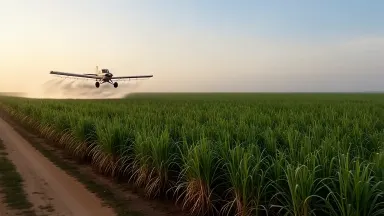
A single-engine crop duster banks hard above a Louisiana sugarcane field, chemical mist trailing behind it in a wide dissipating arc that slowly drifts and thins in the humid morning air. Locked off static wide shot, the plane entering frame from the left, pulling the mist arc across the green field below, the trail hanging then gradually settling downward into the crop rows as the plane exits frame right.
 Kling 3.0 Pro 9c
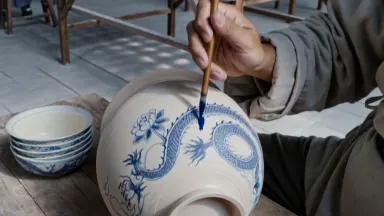
Ming dynasty porcelain painters decorating unfired blue-and-white vessels in a vast kiln workshop, brushes tracing fluid cobalt dragons and peonies onto pale clay as pigment bleeds softly at each stroke, camera tilting slowly upward from hands and turning vessels at bench level past rows of apprentices and drying racks to towering kiln arch windows flooding the hall with cool diffused daylight
How It Works
- 1Write a description of the video scene (subject, action, style, camera angle).
- 2Choose a model and set duration (5-30 seconds) and aspect ratio.
- 3Generate the video. Most clips take 30 seconds to 3 minutes.
- 4Preview, download, or add it to the timeline in the AI Video Studio.
Use Cases
Product Ads and Commercials
Create professional product videos and advertisements from a text description or product photo.
Social Media Content
Generate short-form video for Instagram Reels, TikTok, YouTube Shorts, and other platforms.
Explainer Videos
Produce visual explainers, tutorials, and educational content with AI-generated scenes.
Creative Projects
Explore visual ideas, create mood videos, animate artwork, and prototype creative concepts quickly.
Frequently Asked Questions
How do I generate a video from text?+
Type a description of the video scene you want. Choose a text-to-video model, set the duration and aspect ratio, and generate. The AI creates a video clip matching your description.
What is image-to-video generation?+
Upload or generate a still image, then animate it into a video. This gives you more visual control over the starting frame, ideal for product shots and specific compositions.
How long can AI-generated videos be?+
Individual clips can be up to 30 seconds. For longer videos, use the AI Video Studio to chain multiple clips with transitions on a timeline.
Can I generate videos with audio?+
Yes. Several models (Seedance 2.5, Veo 3.1, Wan 3.0) generate synchronized audio with the video. You can also add voiceover and music separately.