Made with this app
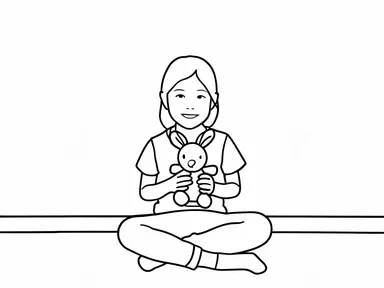
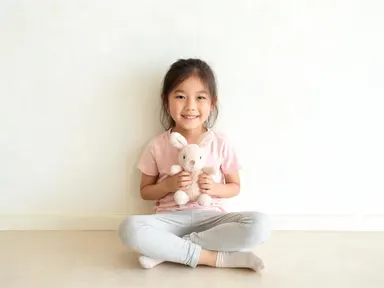
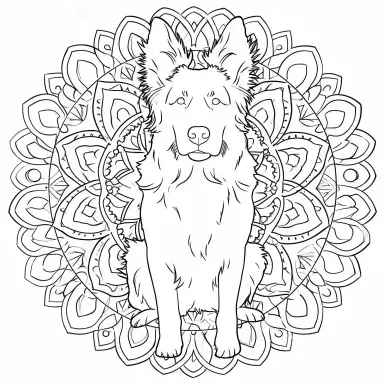
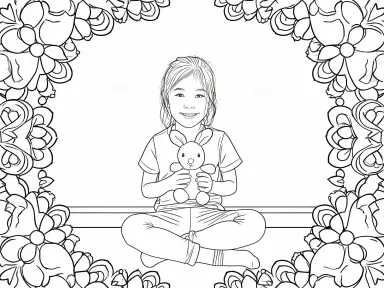
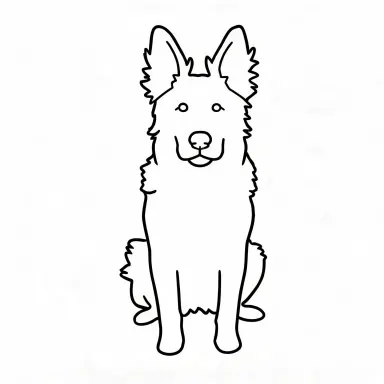
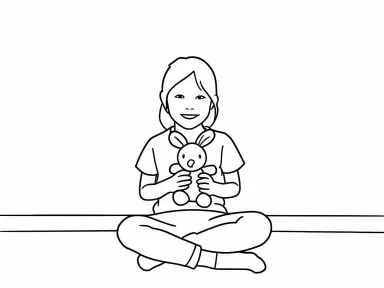
AI Coloring Page turns any photo into a printable coloring page: clean black outlines on a pure white background, with large blank areas ready to fill in with pencils, markers or watercolors. Upload a photo of a pet, a child, a flower or a favorite object, choose a style from the visual library, and the app handles the rest. It is designed for parents, teachers, crafters and anyone who wants a personal, one-of-a-kind coloring page made from a real moment rather than a generic clip art library.
How to use this app
- 1
Upload your file. There is no prompt you have to write.
- 2
Pick a look from the visual library, add a note of your own if you want one, then press Generate.
- 3
Watch your result appear in the gallery within moments.
- 4
Download, share, or generate again with a new idea.
What you can make
Custom Pet Coloring Pages
Upload a photo of your dog, cat or rabbit and pick "Classic line art" for a faithful, well-proportioned page that captures the animal's shape and features. Parents can print a stack of them for a rainy afternoon, and the result is always recognisably their own pet rather than a generic animal.
Toddler-Friendly Activity Sheets
Choose "Thick simple lines" to convert a photo of a beloved toy, a family pet or a simple flower into a page with huge empty shapes and heavy outlines that small hands can fill in without frustration. The style strips every fine detail, leaving only the boldest shapes a toddler can work with.
Classroom and Party Personalization
A teacher or party host can upload a photo relevant to a theme, such as a sunflower or a cat, and apply "Mandala frame" or "Folk art" to produce a decorative activity sheet that feels designed rather than downloaded. Print as many copies as needed on standard home or office paper.
Creative Portrait Projects
Choose "Stained glass" or "Geometric facets" to turn a portrait or close-up photo into an intricate coloring page with large irregular panes or bold angular panels. These styles work especially well for older children or adults who want a more complex coloring challenge with a personal subject.
Gifts and Keepsakes
A coloring page made from a family photo, a pet portrait or a holiday snapshot becomes a gift that feels thought through. Pick "Folk art" to add decorative motifs over the subject's shape, or "Cute kawaii" for a playful, character-style version to give to a child who loves that aesthetic.
Shots to try
Tips for better results
Use a Clear Single Subject
The app produces its sharpest, most distinctive results when one clear subject fills most of the frame: a pet, a face, a flower, a toy. A close-up crop before uploading helps every style in the library render its defining character most clearly.
Match the Style to the Colorist
"Thick simple lines" and "Cartoon" suit very young children because their shapes are large and easy to stay inside. "Mandala frame", "Stained glass" and "Geometric facets" produce finer, more intricate pages that older children and adults will find more satisfying and challenging.
Use the Free Text Box for Specific Details
The library choice sets the overall style, but the optional text box under it lets you add one focused instruction: ask the app to leave out a busy background, emphasize a particular feature or simplify a cluttered area. Keep it to a single clear request for the best outcome.
Print on Plain White Paper
The app outputs at 1K resolution or above, which prints crisply on standard A4 or letter-size paper. For coloring with wet media like watercolor or markers, printing on slightly heavier paper prevents bleed-through and keeps the outlines clean.
When to choose this app
AI Coloring Page does one specific thing: it turns a personal photo into a ready-to-print coloring page with clean outlines and blank fill areas. If your goal is to place two people into a single photo, AI Photo Together is the right tool. If you want your pet or a favorite subject rendered as a die-cut sticker in materials like embroidered thread or pixel art, AI Sticker Maker handles that instead. AI Coloring Page is the right choice when the output needs to go to a printer and into someone's hands with a set of colored pencils.
Frequently asked questions
What kinds of photos work best with AI Coloring Page?
Photos where one clear subject fills most of the frame work best: a pet, a child, a flower, a toy or any single thing the page is meant to be about. Good natural lighting and a relatively simple background help the app trace clean outlines. Very dark or heavily cluttered photos can reduce the crispness of the result.
Will the coloring page look like the person or animal in my photo?
For most styles the subject remains clearly recognisable. However, "Cartoon" and "Cute kawaii" deliberately rebuild faces with exaggerated features, oversized eyes and simplified shapes, so those styles produce a character inspired by the photo rather than a precise likeness. All other styles preserve the subject's actual proportions and features.
Can I use the optional text box to add text, a name or a caption to the page?
The app is designed to output line drawings of subjects, not to place lettering or captions on the page. The text box is best used for visual instructions about the subject itself, such as simplifying a background or keeping a particular feature prominent. Adding a name or caption to the finished page is best done after printing.
How do the eight library styles differ in terms of coloring difficulty?
"Thick simple lines" produces the largest, emptiest shapes and suits very young children. "Classic line art" and "Folk art" are moderate in complexity. "Mandala frame", "Stained glass", "Geometric facets" and "Cartoon" create more intricate or pattern-heavy pages that offer a longer, more detailed coloring session for older children or adults.
Can I upload a group photo with several people or animals in it?
The app can process a group photo, but it is optimised for a single clear subject. With multiple subjects or a busy scene the eight library styles tend to converge and look less distinct from one another. For the most characteristic result from each style, a photo centered on one subject is recommended.
What file formats can I upload?
The app accepts JPG, PNG, WebP and GIF files. You can drag a file directly into the upload area or pick one from your device. Once the file is in place you choose a library style and the app generates your coloring page.
How much does it cost?
Each generation costs 1 credit. New accounts get free credits to try it out.
Do I need any editing skills?
No. Upload your photo, pick the look you want from the library, and the app writes the full instruction for you behind the scenes. There is nothing to install and nothing to configure. A small optional box lets you add one line in your own words, but the app works without it.
Can I use the results commercially?
Yes. Content you generate is yours to use, subject to our content licenses.
How long does a generation take?
Most generations finish in under a minute, and you can watch progress live in the gallery.