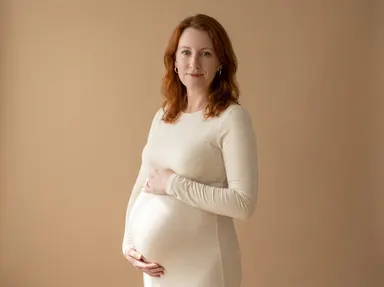
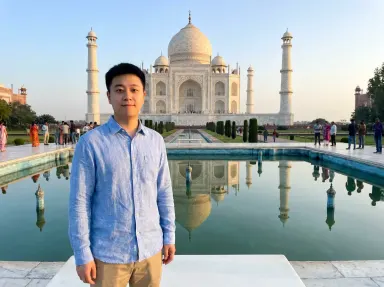
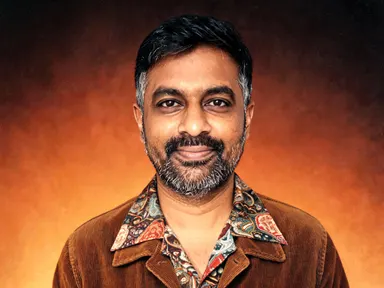
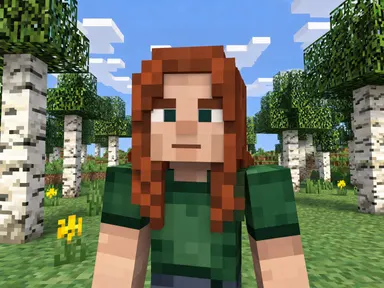
Made with this app
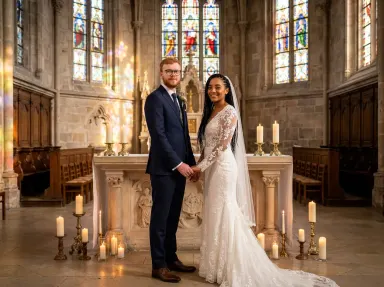
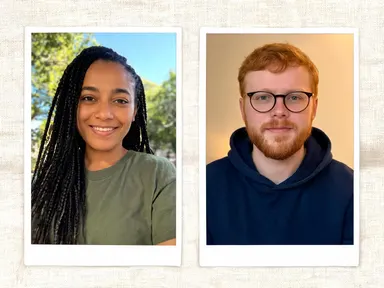
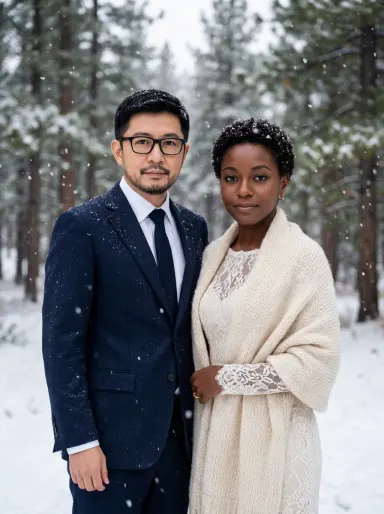
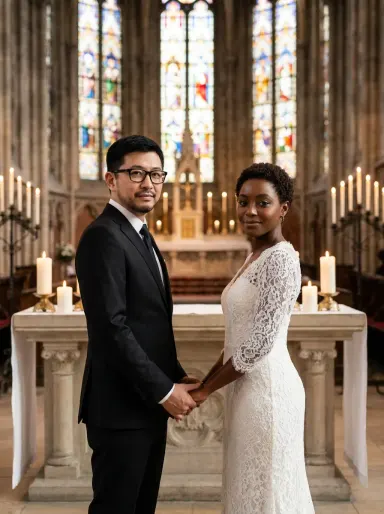
AI Wedding Photos takes two separate portraits, one of each person, and produces a single, natural wedding photograph of both of them together. Upload one photo per person, choose a moment and setting from the library, and the app dresses each person for their wedding day while keeping every face, hairstyle, pair of glasses and piece of jewellery exactly as it appears in the source photos. It is made for couples, families gifting an experience, and anyone who wants a wedding portrait without a full shoot.
How to use this app
- 1
Upload your file. There is no prompt you have to write.
- 2
Pick a look from the visual library, add a note of your own if you want one, then press Generate.
- 3
Watch your result appear in the gallery within moments.
- 4
Download, share, or generate again with a new idea.
What you can make
Visualise your look before the day
Not sure how you will both photograph together in wedding attire? Upload clear portraits of each of you, choose a setting that matches your planned venue style, and see yourselves side by side in wedding dress and suit before the event itself.
Create a keepsake from existing photos
Couples who married privately or eloped often have no formal portraits. AI Wedding Photos can produce a polished, high resolution wedding image from two everyday photos, giving you something frameable without booking a photographer retroactively.
Anniversary and celebration gifts
A parent, sibling or friend can upload portraits of the couple, pick a scene such as "First Dance" or "Golden Hour", and produce a wedding photograph as a printed anniversary gift, with no access to a studio required.
Try different settings and moments
Choosing between a church ceremony and a beach at golden hour is easier when you can see both. Use the same two portraits across "At the Altar" and "Beach Vows" to compare moods before committing to a direction for printed invitations or save the dates.
Destination weddings with remote couples
When travel makes a pre-wedding shoot impractical, good individual portraits are usually all a couple has. AI Wedding Photos turns those two photos into one composed wedding portrait sized up to 4K, suitable for large format print.
Shots to try
Tips for better results
Upload the clearest photo you have
The app preserves faces, skin tone, hair, glasses and jewellery from your source photos. A well lit, front facing photo taken from the chest up gives the app the most information to work with, and the resulting likeness will be noticeably stronger than one taken from a blurry or heavily filtered image.
One person per photo only
The app needs one person clearly visible in each upload. A photo showing two people together, or a group shot cropped tight, can confuse which face to carry through. Use individual portraits for the sharpest and most consistent result.
Use the optional box for specific details
The library choice sets the scene and moment, but the optional text box under the library is the right place to steer small specifics: the colour of the suit, the style of bouquet flowers, or a detail you would like emphasised. Keep it to one or two concrete details rather than a full description.
Resolution choice matters for print
AI Wedding Photos renders at up to 4K. If the result is destined for a large print or canvas, select the highest available resolution before generating. A lower setting is fine for digital use and social sharing, but print quality at large sizes genuinely benefits from the higher output.
When to choose this app
AI Wedding Photos does one specific thing that no other Arteza app covers: it takes two separate portraits and composes them into a single wedding photograph, changing the clothes and the setting while leaving every face unchanged. AI Sky Replacement swaps the sky in an existing outdoor scene and shifts the light to match, but it works with one photo and does not change people or clothing at all. AI Room Converter keeps the same walls, windows and doors in place and re-dresses the space, which is a different kind of photo transformation entirely. If what you need is a wedding portrait of two people composed into one image, AI Wedding Photos is the app built for exactly that.
Frequently asked questions
Does it matter what the two people are wearing in their uploaded photos?
Not at all. The app replaces the clothing entirely, dressing one person in an elegant wedding dress and the other in a tailored suit regardless of what they wore in the source photos. Only the face, hair, skin tone, glasses and jewellery carry through from the uploaded images unchanged.
Can I choose which person wears the dress and which wears the suit?
The app assigns one person the wedding dress and the other the tailored suit based on how it reads the two photos. If the assignment matters to you, uploading portraits where each person's presentation is clear and unambiguous gives the app the best signal to work from.
Will the background from either of my photos appear in the result?
No. The background is entirely replaced by the setting that belongs to the library choice you pick, a stone church interior, a sunlit garden, a snowy landscape and so on. The app invents the setting to match the chosen moment; it does not keep or blend in either source photo's background.
Can I add text, a date or our names to the image?
The app does not place any text, lettering, numbers or captions on the result. If you want to add names or a date, a design tool or print service can do that as a second step once you have the image. The app's result is always a clean photograph with no overlaid words or graphics.
What if one person wears glasses or has distinctive jewellery?
Glasses and jewellery are treated the same way as the face itself: the app keeps them exactly as they appear in the source photo. Someone who wears glasses in their upload will be wearing those same glasses in the wedding portrait, and visible jewellery carries through in the same way.
Do I need any editing skills?
No. Upload your photo, pick the look you want from the library, and the app writes the full instruction for you behind the scenes. There is nothing to install and nothing to configure. A small optional box lets you add one line in your own words, but the app works without it.
Can I use the results commercially?
Yes. Content you generate is yours to use, subject to our content licenses.
How long does a generation take?
Most generations finish in under a minute, and you can watch progress live in the gallery.