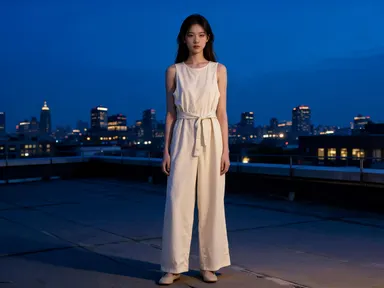
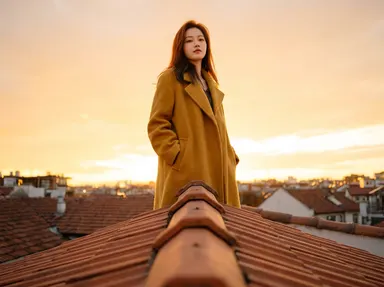
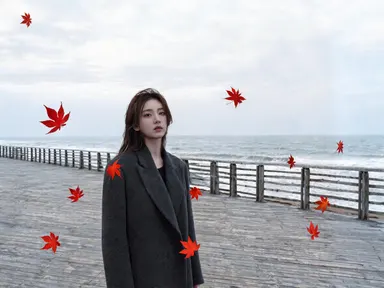
Made with this app
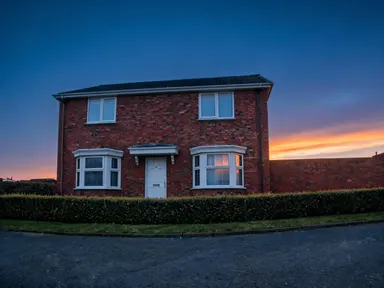
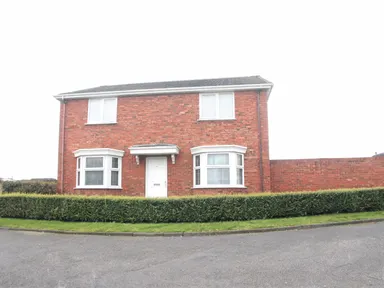
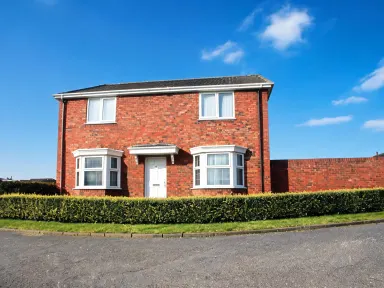
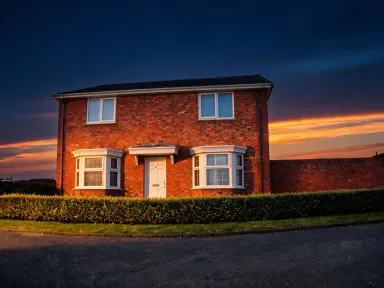
AI Sky Replacement takes any outdoor photo and replaces its sky with one you pick from a curated library of 24 conditions, from crisp midday blue to aurora-lit night, then remaps the light across every surface in the scene to match. It is built for photographers, real estate professionals, content creators and designers who need a convincing atmospheric change without manual masking or layer work. Drop in a JPG, PNG, WebP or GIF, choose a sky, add an optional detail in the free text box, and the app handles the rest.
How to use this app
- 1
Upload your file. There is no prompt you have to write.
- 2
Pick a look from the visual library, add a note of your own if you want one, then press Generate.
- 3
Watch your result appear in the gallery within moments.
- 4
Download, share, or generate again with a new idea.
What you can make
Real Estate Listing Photos
A property shot on an overcast Tuesday can look like it was taken on a clear golden afternoon. Swapping to the low golden hour sky remaps warm light across the facade, lawn and windows, making the listing more inviting without a reshoot.
Travel and Landscape Photography
A landscape taken under flat grey cloud can be reassigned to the vivid sunset sky or the Milky Way option for portfolio or editorial use. The lighting shift follows through to foreground terrain, water and foliage so the result reads as a single coherent exposure.
Social Media Content Batching
A single hero product shot taken outdoors can be reissued across multiple seasonal campaigns by cycling through different library skies. Each version carries its own distinct light mood while the subject stays identical, reducing the need for repeated location shoots.
Dramatic Atmospheric Storytelling
Filmmakers and graphic novelists building mood boards can assign a black thunderstorm sky torn by lightning, or heavy smoky orange sky, to reference stills, giving art directors and clients a clear visual brief with production-ready atmosphere already in place.
Event and Wedding Photography Correction
Ceremony or outdoor reception photos taken in harsh midday light or under haze can be moved to a soft pink sunrise sky or pale lilac evening sky, preserving faces and details while giving the gallery a consistent warm, romantic tone throughout.
Shots to try
Tips for better results
Match Sky Drama to Subject Scale
Large subjects like buildings or open landscapes can support a thunderstorm or aurora sky without overwhelming the frame. Tight subjects like portraits or small products read more naturally under the hazy, golden hour or soft sunrise options where the light change is the story.
Use the Free Text Box for Edge Cases
The optional text box beneath the library is useful for one specific instruction: keeping a reflection, preserving a particular shadow, or leaving an architectural detail unaltered. Keep the note short and direct; the library choice still does the heavy lifting.
Upload the Sharpest File You Have
Because the app outputs at up to 1K resolution, a sharper source file gives the lighting remap more detail to work with, particularly around foliage edges, hair and fine architecture where the sky meets the subject.
Use Contrasting Skies Deliberately
Choosing a sky with strong directional light, like the backlit lens-flare option or the shafts-of-light storm sky, on a photo originally shot under flat cloud creates the most visible transformation. Matching the original light direction produces a subtler, more naturalistic result.
When to choose this app
AI Sky Replacement is the right choice when the sky and its light are the primary edit. If you need to change the physical viewpoint of a scene, AI Camera Angle Changer is built for that job: same subject, new point of view. If you want to make freeform edits across an image by typing instructions, FLUX Kontext Pro handles edits with text directions. AI Sky Replacement is specific: one upload, one library choice, a complete atmospheric and lighting transformation with no prompt writing required.
Frequently asked questions
Does the app change only the sky or does it also adjust the rest of the photo?
The app replaces the sky and then remaps the light across the entire scene to match the new sky condition. That means ground, buildings, water, foliage and faces all receive updated light direction, color temperature and shadow intensity, so the result reads as a single coherent image rather than a composited one.
What kinds of photos work best with this app?
Outdoor photos with a visible sky region produce the strongest results. Scenes with a clear horizon, open backgrounds or architectural subjects where sky occupies a meaningful portion of the frame give the app the most to work with. Indoor photos or images with no sky area visible are not suitable for this tool.
Can I upload a photo taken in portrait orientation or an unusual crop?
Yes. The app accepts JPG, PNG, WebP and GIF files in any aspect ratio. Portrait, landscape and square crops are all supported. The sky replacement and lighting remap adapt to whatever composition you upload.
How specific can I get with the optional free text box?
The box is designed for one short, focused instruction, such as keeping a water reflection visible, preserving a sign or window detail, or leaving the foreground in shadow. It works best as a single clear note rather than a list of requests. The library sky choice remains the primary control over the result.
Will the app handle photos that already have a dramatic sky?
Yes. You can replace an existing sunset with a different sunset, swap a stormy sky for a clear daytime one, or move a midday scene to a night sky with stars or aurora. The app works from whatever sky is present in the upload and substitutes it fully with the library choice.
What if my photo has trees, cables or complex edges where the sky meets the foreground?
The app is built to handle detailed edge regions including foliage, fences and fine architectural elements. Uploading the sharpest and highest-resolution file you have gives the app more edge detail to work from, which produces cleaner transitions in areas where sky and subject interlock closely.
How much does it cost?
Each generation costs 1 credit. New accounts get free credits to try it out.
Do I need any editing skills?
No. Upload your photo, pick the look you want from the library, and the app writes the full instruction for you behind the scenes. There is nothing to install and nothing to configure. A small optional box lets you add one line in your own words, but the app works without it.
Can I use the results commercially?
Yes. Content you generate is yours to use, subject to our content licenses.
How long does a generation take?
Most generations finish in under a minute, and you can watch progress live in the gallery.