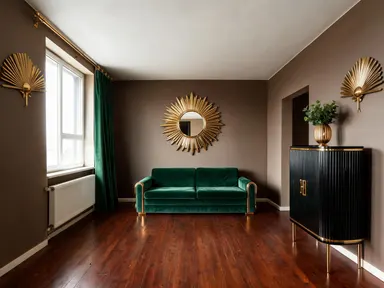
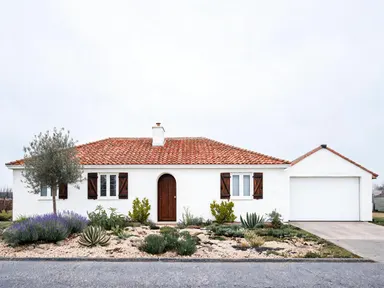
Made with this app
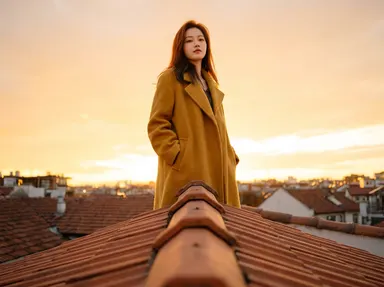
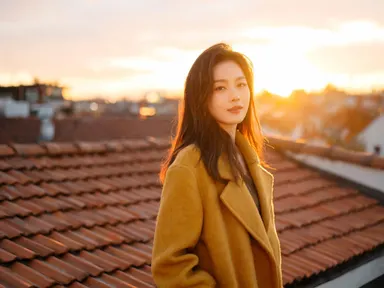
AI Camera Angle Changer takes a single photo you upload and reconstructs it from a completely different point of view, using any angle from a 22-option visual library. No reshooting, no set access, no camera crew. The app is built for product photographers, creative directors, social media teams, and anyone who needs a fresh perspective on existing imagery. Choose your angle, and the app delivers a recomposed result that preserves the subject's appearance, lighting character, and overall style.
How to use this app
- 1
Upload your file. There is no prompt you have to write.
- 2
Pick a look from the visual library, add a note of your own if you want one, then press Generate.
- 3
Watch your result appear in the gallery within moments.
- 4
Download, share, or generate again with a new idea.
What you can make
Product Photography Without a Reshooting Budget
A single packshot uploaded to the app can become a flat lay for a homepage banner, a tight close-up for a detail carousel, and a wide establishing shot for a lifestyle ad. Three distinct assets from one original image saves studio time and keeps visual style consistent across a campaign.
Architecture and Interior Previews
Upload a straight-on exterior photo and switch to a high aerial drone shot to show site context, or drop to a ground-level angle to emphasize a building's height. Clients and planning teams see the same structure from the angles that matter to them without a second site visit.
Social Media Content Variation
A portrait photo shot at eye level can be reframed as a three-quarter angle for a story post and a wide shot for a feed grid, giving a content team multiple crops and compositions from a single session. Each variation reads as a distinct image rather than a cropped duplicate.
Storyboard and Pre-Visualization
Directors and art directors can upload a reference still and quickly generate low angle, over-the-shoulder, and first-person versions to map out a shot list before production. The app makes it fast to compare how the same scene reads across different cinematographic choices.
E-commerce Detail Shots
Macro and extreme close-up library options reveal surface texture, stitching, hardware, or print quality on a product that a standard packshot obscures. These detail images meet marketplace listing requirements and reduce return rates by giving buyers a clearer picture of what they are purchasing.
Shots to try
Tips for better results
Start With a Clean, Well-Lit Upload
The app preserves the character of your original image, so a well-exposed photo with clear subject separation produces the most accurate angle recomposition. Heavily compressed or very dark source files limit how much spatial information the app has to work with.
Run the Same Angle More Than Once
The app can generate several versions of the same angle choice. Running it again lets you compare how the recomposition handles depth, cropping, and background fill across attempts, and you pick the one that best serves your layout.
Start From the Sharpest Source You Have
This app keeps the shape of the photograph you upload and renders at the model's standard resolution, so there is no output-size setting to reach for. What you can steer is the input: a large, well-lit, in-focus original gives the new angle far more real detail to rebuild from, while a small or soft file leaves the model guessing at the parts your first camera position never saw.
Choose Angle Before Thinking About Crop
Each library option implies both a camera position and a natural framing. The wide establishing shot and the tight close-up, for example, carry very different compositional logic. Picking the angle that matches your intended layout from the start produces a more coherent result than trying to crop afterward.
When to choose this app
AI Camera Angle Changer is the right choice when the job is recomposing an existing photo from a new point of view rather than applying a surface treatment or swapping an element within it. If you need color grading, atmospheric effects, or overlay work, AI Photo Effects is better suited. If you need to add, remove, or replace objects inside a scene, AI Photo Elements handles that. This app is narrowly focused on spatial perspective: same subject, new camera position, same framing as the file you upload.
Frequently asked questions
Can I use this app on photos that already have a strong angle, like a low shot I want to convert to overhead?
Yes. You can upload a photo shot from any existing angle and select a different library option to recompose it. The app works from the subject information available in the original, so a dramatically angled source image may produce a slightly different reconstruction than a neutral starting shot, but the angle shift still applies.
What kinds of subjects work best with this app?
Products, people, architecture, food, vehicles, and objects with defined form and clear boundaries all produce strong results. Highly abstract images or scenes where the subject is ambiguous give the app less to anchor the recomposition, so results can vary. Clean, well-composed originals consistently perform best.
Does the background change when I switch angles?
The background adapts to the new camera position. Switching from an eye-level shot to a top-down view, for instance, means the ground plane becomes visible and the background context shifts accordingly. The app generates background content that is consistent with the subject and lighting in the original upload.
What is the difference between the macro shot and the extreme close-up options?
Extreme close-up frames the subject tightly so it fills the image, but it reads as a conventional close camera position. Macro shot simulates magnification well beyond normal lens range, revealing surface texture, grain, and fine structural detail at a scale that would require specialized macro photography equipment to achieve in a real shoot.
Will text or logos on my subject remain legible after an angle change?
The app has strong text rendering capability, so labels, logotypes, and printed text on your subject are handled with care during recomposition. Legibility depends on how much the selected angle foreshortens or rotates the text-bearing surface. A flat lay or three-quarter angle preserves readability better than a steep dutch angle or extreme worm's eye view.
Do I need any editing skills?
No. Upload your photo, pick the look you want from the library, and the app writes the full instruction for you behind the scenes. There is nothing to install and nothing to configure. A small optional box lets you add one line in your own words, but the app works without it.
Can I use the results commercially?
Yes. Content you generate is yours to use, subject to our content licenses.
How long does a generation take?
Most generations finish in under a minute, and you can watch progress live in the gallery.