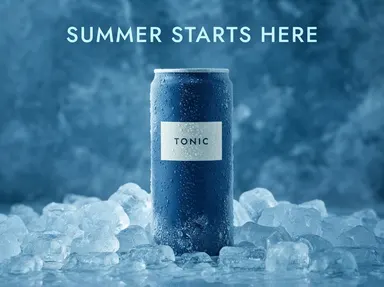
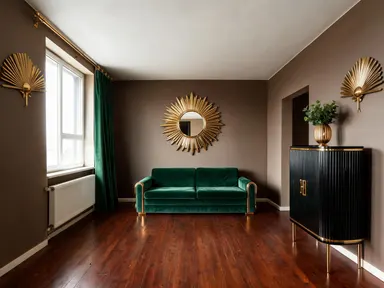
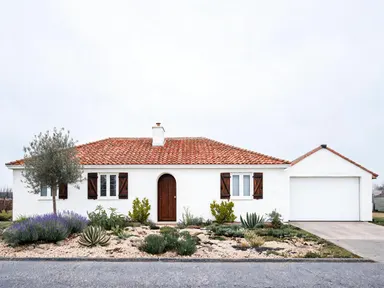
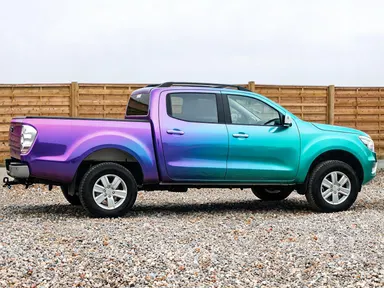
Made with this app
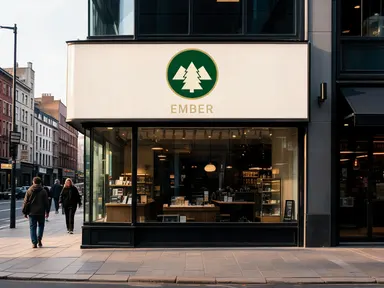
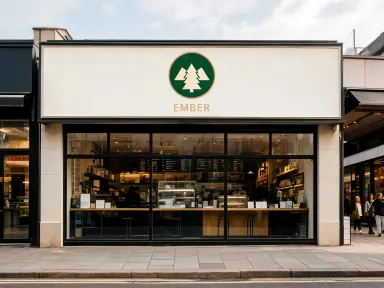
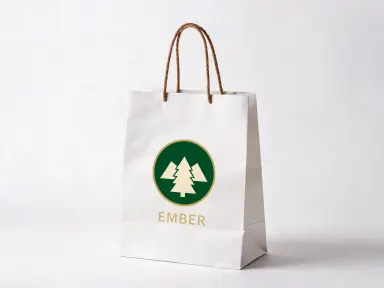
AI Logo Mockup Generator takes a logo file you upload and places it, unchanged, onto a surface from a curated library of product and environmental scenes. No design software, no 3D tools, no manual compositing: you pick a scene, and the app handles lighting, perspective and surface texture so the result looks like a photograph. It is built for brand designers, freelancers and small business owners who need client-ready visuals before anything goes to print or production.
How to use this app
- 1
Upload your file. There is no prompt you have to write.
- 2
Pick a look from the visual library, add a note of your own if you want one, then press Generate.
- 3
Watch your result appear in the gallery within moments.
- 4
Download, share, or generate again with a new idea.
What you can make
Client Presentations Before Production
Show a client exactly how their logo sits on a folded heather grey t-shirt or a charcoal hoodie before a single garment is ordered. Realistic studio lighting and accurate proportions make the mockup convincing enough to approve without a physical sample.
Packaging and Retail Identity Checks
Test a logo across a kraft shipping box, a white retail paper bag and a matte black foil coffee pouch in a single session. Seeing the mark at scale and in context reveals proportion and contrast problems that a flat artboard never will.
Brand Pitch Decks and Social Content
Drop a billboard, a reception wall sign and a shopfront fascia into a brand proposal to show environmental range. The 1K+ resolution output is sharp enough for slide decks, print handouts and portfolio images posted to Instagram.
Merchandise Store Listings
Generate product photography for a tote bag, a ceramic mug and a baseball cap without owning stock or hiring a photographer. Each scene is styled consistently so images sit cleanly together in an online shop or Etsy listing.
Signage and Vehicle Wrap Proposals
Place a logo on the side panel of a white delivery van or a large roadside billboard to help a client visualise scale and legibility before committing to print costs. Real street and sky backgrounds make the scale relationship immediately legible.
Shots to try
Tips for better results
Upload a Transparent PNG
A PNG saved on a transparent background is the safer upload. The app does not paste your file in, so a white rectangle behind your mark will not appear as a visible block, but it does compete with the surface: on smooth surfaces like a mug the difference is negligible, while on woven fabric it is where fine lettering starts to soften. Transparent costs you nothing either way.
Match Scene Tone to Brand Tone
Dark scenes like the matte black foil pouch or the dark stone business card make light logos pop and convey premium positioning. Pale studio scenes like the folded t-shirt or the paper bag suit colourful or illustrated marks that need a neutral ground.
Check Proportions at 1K Resolution
Download the full 1K+ output and zoom to 100 percent before sending to a client. Fine details such as thin letterforms and hairline rules are rendered cleanly at this resolution, and viewing at actual size confirms whether a logo needs optical adjustments for the format.
Run Multiple Scenes in One Session
The fixed library lets you cycle through scenes quickly with the same uploaded file. Generate the van livery, the roll up banner and the A board in sequence to build a complete environmental set in minutes rather than hours.
When to choose this app
Choose AI Logo Mockup Generator when you need your artwork placed into a specific, styled physical scene without touching the logo itself. FLUX Kontext Pro edits images through text instructions, and AI Camera Angle Changer reshoots an existing photo from a new viewpoint: neither is built around dropping a supplied logo into a curated product library and holding its colours and shapes exact. This app's job is narrow and precise, which is exactly why it does it well.
Frequently asked questions
Will the app alter or reinterpret my logo?
No. The app places your uploaded artwork onto the chosen scene without redrawing or reinterpreting it. Colours, letterforms and proportions are preserved. What changes is only the perspective, lighting and surface texture that the scene contributes around the logo.
How large can my uploaded file be, and which formats are accepted?
The upload area accepts JPG, PNG and WebP up to 10MB, and the limit is printed under the drop area. PNG with a transparent background gives the most reliable result. If your artwork is a vector file, export it to PNG at the largest size that still fits under 10MB: the more pixels the mark arrives with, the more of its fine lettering and hairline rules survive onto the surface.
Can I use the output for print as well as screen?
The app renders at 1K+ resolution, which is adequate for digital presentations, social media, website assets and small-format print such as business cards and A4 documents. For very large-format print such as a billboard reproduction, check the pixel dimensions of the downloaded file against your printer's requirements.
What if my logo has multiple colours or a gradient?
The app handles full-colour artwork including gradients. Upload a high-resolution PNG at the largest size available and the colour fidelity will carry through to the output. Heavily compressed JPG files can introduce artefacts around fine edges, so PNG is the safer choice for complex artwork.
Can I produce mockups for a client who has several logo variants?
Yes. Each variant is a separate upload, and you can run the same scene across all of them in sequence. This makes it straightforward to show a client how a primary logo, a secondary badge and a monogram each behave in the same environment, using identical scene conditions for a fair comparison.
Is the scene library fixed, or will new options be added over time?
The library holds 24 curated surfaces in three groups: merch such as the t-shirt, tote, cap and mug; packaging such as the business card, kraft box, coffee cup and swing tag; and signage such as the shopfront fascia, delivery van, billboard and awning. Every surface is available to all users without variation. Arteza extends the library periodically, and new surfaces appear in the same selector without changing how you upload or use the app.
How much does it cost?
Each generation costs 1 credit. New accounts get free credits to try it out.
Do I need any editing skills?
No. Upload your photo, pick the look you want from the library, and the app writes the full instruction for you behind the scenes. There is nothing to install and nothing to configure. A small optional box lets you add one line in your own words, but the app works without it.
Can I use the results commercially?
Yes. Content you generate is yours to use, subject to our content licenses.
How long does a generation take?
Most generations finish in under a minute, and you can watch progress live in the gallery.