Made with this app
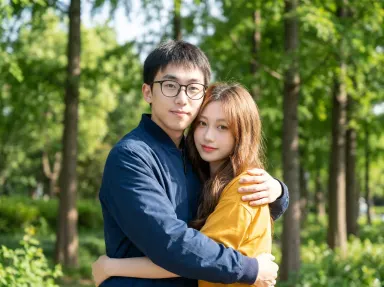
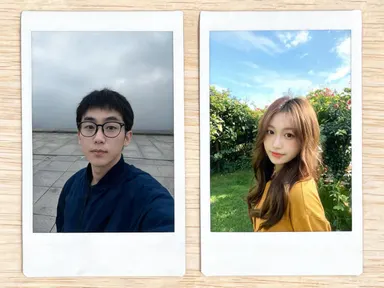
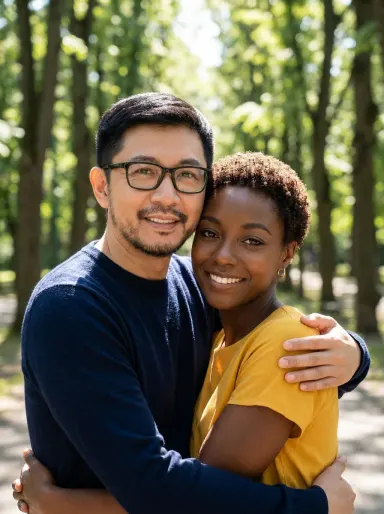
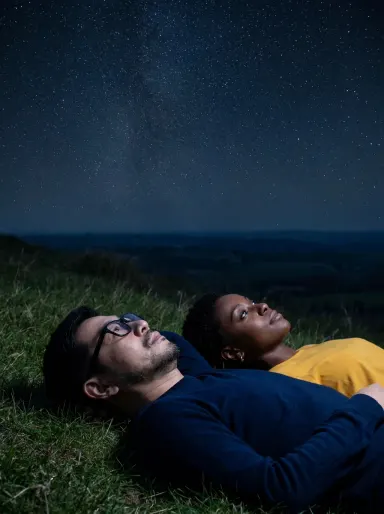
AI Photo Together takes a photo of each person and produces a single, natural-looking photograph of both of them in a scene you choose from a curated library. There is no compositing to wrestle with and no background to cut out manually. Upload one portrait per person, pick a setting, add an optional detail if you like, and the app handles the rest. It is built for couples, friends, families and anyone who wants a convincing shared memory from two separate photos.
How to use this app
- 1
Upload your file. There is no prompt you have to write.
- 2
Pick a look from the visual library, add a note of your own if you want one, then press Generate.
- 3
Watch your result appear in the gallery within moments.
- 4
Download, share, or generate again with a new idea.
What you can make
Long-distance couples
Two people who have never been in the same place at the same time can get a natural photograph together on a beach at sunset or under cherry blossoms in spring light, suitable for framing, sharing or using as a profile photo without any visible seam between the two source portraits.
Tribute and memorial images
When one portrait is from years ago and a reunion photograph was never taken, AI Photo Together can place both people together on a garden bench or by a campfire, producing a warm, plausible memory from archive photos that may differ in quality and lighting.
Social media content for couples brands
Lifestyle brands and couple-focused accounts can generate campaign-ready imagery at up to 4K resolution without a full photo shoot. A cosy cafe scene, a city rooftop at golden hour or a snowy street can all be produced from two headshots alone.
Personalised gifts
A photograph printed on a canvas, a card or a photo book needs to look real, not digitally assembled. The app keeps faces consistent with the originals while placing both people naturally into a chosen setting, making the result credible enough to print large.
Friendship and family reunion keepsakes
Friends who live on different continents or family members who missed a reunion can still have a shared photograph. Choose a picnic blanket on summer grass or an avenue of golden autumn trees and the app produces one coherent scene from two separate uploads.
Shots to try
Tips for better results
Use well-lit, forward-facing portraits
The app keeps each face consistent with the source photo. A clear, well-lit portrait where the face is fully visible gives it far more to work with than a side angle or a dark, low-contrast shot. Even a phone selfie in good natural light produces strong results.
Match portrait scale roughly
If one upload is a tight close-up and the other is a full-body shot, the app has to infer more to place both people at a believable shared distance. Portraits cropped to a similar framing, roughly head and shoulders on each, help the result look proportionally natural.
Use the optional text box for specific details
The library choice sets the scene, but the optional free text box lets you keep a specific detail, like a particular coat, a pair of glasses or a hairstyle, or ask for something to be left out. Keep it to one clear instruction for the most predictable result.
Choose 4K for print and campaign use
The app outputs at 1K, 2K or 4K. For anything going to print, a large screen or a marketing campaign, 4K gives you the detail and resolution the premium quality tier is built for. Reserve lower settings for quick social drafts or previews.
When to choose this app
AI Photo Together does one thing no other Arteza app in the suite is designed for: it merges two separate portraits into a single believable photograph of both people together. AI Sky Replacement takes one existing outdoor scene and changes the sky and light above it, while AI Room Converter works with the fixed architecture of a single interior space. Neither handles the problem of combining two different people from two different photos into one coherent scene. If you need a shared photograph that looks real and prints at 4K quality, this is the right app.
Frequently asked questions
How similar do the two photos need to be for the result to look natural?
They do not need to match in background, lighting or camera distance, but clearer, better-lit portraits produce more consistent faces in the final image. The app is designed to handle photos taken in different places at different times, which is the most common real-world situation.
Will the app keep each person's face accurate to their upload?
Yes. The app uses each uploaded portrait as a reference and carries the individual's likeness through into the combined scene. It does not generate generic faces. The closer the source portrait is to a clear, forward-facing, well-lit image, the more faithfully the likeness is preserved.
Can I use the optional text box to control how the two people interact in the scene?
The optional text box works best for one specific detail, such as keeping a particular item of clothing, describing a preferred pose, or excluding something from the background. The library choice already sets the core interaction and setting, so the box is most useful for small adjustments rather than overriding the whole scene.
What file types can I upload for each person?
The upload area accepts JPG, PNG, WebP and GIF files. You drag a file in or pick one from your device. Submit one file per person, choosing the clearest portrait available for each.
Are the 24 library settings the only scenes available?
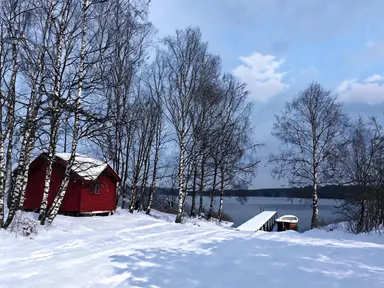
Those are the curated options in the current library. They cover a wide range of moods, seasons and contexts, from a snowy street to a night under stars to a flowering garden. If none fits precisely, the optional text box lets you add one qualifying detail to nudge the chosen scene closer to what you have in mind.
Is the result a photograph or does it look digitally assembled?
The app is designed to produce a single coherent photograph, not a collage. Lighting, shadow, scale and the relationship between the two people are rendered as part of one unified scene. At 4K and premium quality, the output is suitable for print, framing and professional use without visible compositing artifacts.
Do I need any editing skills?
No. Upload your photo, pick the look you want from the library, and the app writes the full instruction for you behind the scenes. There is nothing to install and nothing to configure. A small optional box lets you add one line in your own words, but the app works without it.
Can I use the results commercially?
Yes. Content you generate is yours to use, subject to our content licenses.
How long does a generation take?
Most generations finish in under a minute, and you can watch progress live in the gallery.