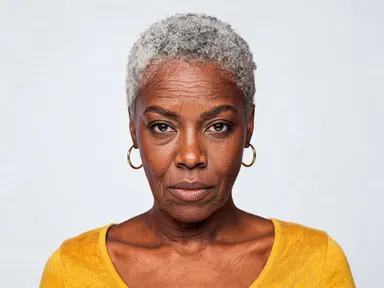
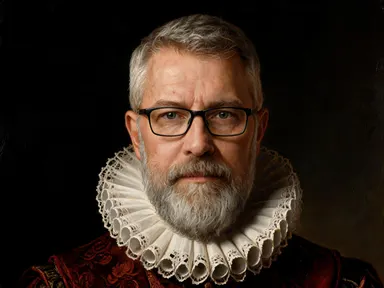
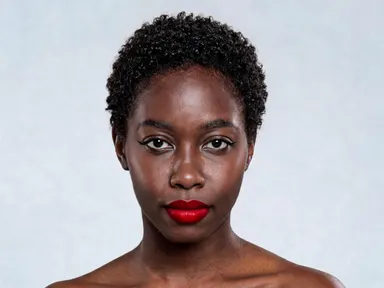
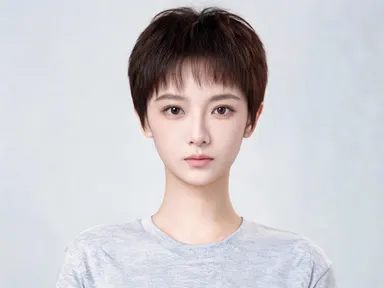
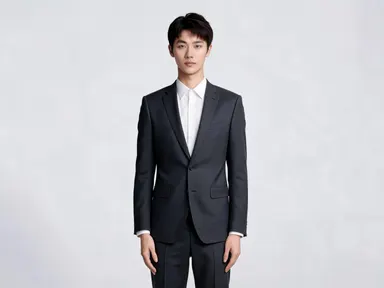
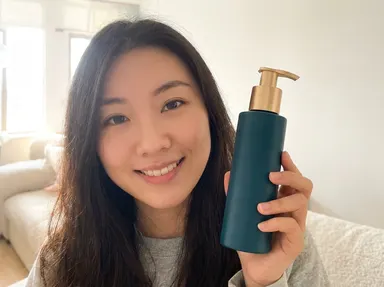
Made with this app

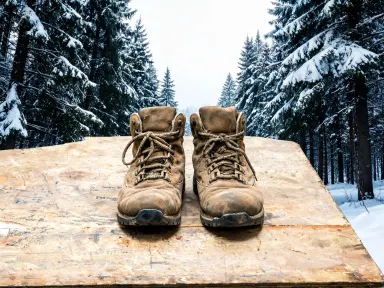
AI Photo Backdrops takes any photo you upload and places your subject inside a new environment, with the light on your subject automatically matched to the scene you choose. There are twenty-four backdrops in the library, covering studio setups, outdoor landscapes, and interior spaces, each already composed and lit so the result looks considered rather than composited. It is built for photographers, content creators, and brand teams who need polished, placement-ready images without a second shoot.
How to use this app
- 1
Upload your file. There is no prompt you have to write.
- 2
Pick a look from the visual library, add a note of your own if you want one, then press Generate.
- 3
Watch your result appear in the gallery within moments.
- 4
Download, share, or generate again with a new idea.
What you can make
E-commerce and Product Portraits
A product or model shot in a plain room can be placed on a clean white seamless or a warm cream studio backdrop in seconds. The matched lighting keeps the subject looking naturally lit for the new setting, making the image retail-ready without re-shooting against physical paper.
Professional Headshots on a Budget
A headshot taken in a home office or outdoors can be moved onto the grey studio backdrop or the hand-painted mottled canvas option, giving it the polished look of a professional portrait studio. Consistent light matching means a batch of different individuals can all sit on the same backdrop.
Social Media Content for Brands
A team, a product, or a spokesperson photographed once can be dropped into the warm cafe interior, the rooftop at blue hour, or the lush garden to create varied seasonal posts. Each result comes out at 1K+ resolution, suitable for feed, story, and banner formats.
Event and Speaker Promotion
A simple photo of a speaker or performer can be placed on the elegant hotel lobby backdrop or the white gallery interior for an event announcement image. The app handles the depth and ambient light, so the person does not look pasted onto a flat background.
Creative Portfolio Diversification
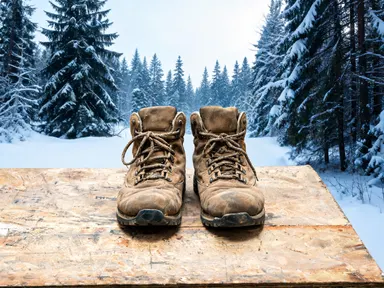
A photographer with one session of shots can produce multiple distinct looks by cycling through backdrops: the industrial loft with cool side daylight, the snow-covered forest in blue-toned winter light, and the dim upscale restaurant with warm bokeh behind. This expands a portfolio without booking new locations.
Shots to try
Tips for better results
Match the Original Light Direction
The app re-lights your subject to match the chosen backdrop, but it works best when the original photo has a reasonably clear light source. Avoid heavily mixed or fluorescent flat lighting in your source file, as strong colour casts in the original can make the transition less seamless.
Use Clean Subject Edges
Photos where the subject is clearly separated from their original background, even loosely, give the app the cleanest read of the subject outline. A subject shot against a single-colour or low-detail background in the source image will produce the sharpest composite result.
Pick Backdrop Depth to Suit the Shot
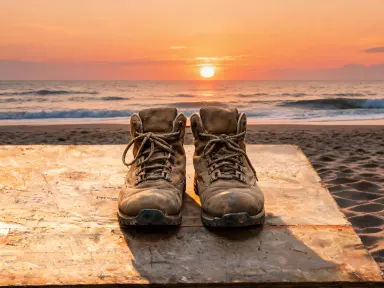
For tight headshots, studio and interior backdrops with soft or flat detail behind the subject read naturally. For three-quarter or full-length shots, backdrops like the sandy beach at sunset or the mountain overlook have enough spatial depth to feel convincing at that framing.
Use 1K+ Output for Print and Banner Crops
The app outputs at 1K+ resolution, which gives you enough detail to crop tightly for a square social post or scale up for a wide event banner without pixelation. Start from the highest-resolution source photo you have to get the most from the output.
When to choose this app
AI Photo Backdrops is the right choice when your goal is a finished, placement-ready image with correct lighting, not a general editing task. FLUX Kontext Pro lets you edit images with text instructions, and AI Camera Angle Changer reshoots a photo from a new point of view, but neither is designed around a curated library of fully lit, real-world and studio scenes with automatic light matching to the subject. If you need to move a person or product into a specific, consistent environment and have the lighting handled for you, this app is purpose-built for that outcome.
Frequently asked questions
How does the app handle the lighting on my subject?
AI Photo Backdrops analyses the light direction, colour temperature, and intensity of the chosen backdrop and adjusts the shading and highlights on your uploaded subject to match. The result is that your subject appears to be standing in the new environment rather than placed over a background image.
Can I use a photo where the subject is not already on a plain background?
Yes. The app will separate the subject from whatever original background exists in your photo. Results are generally strongest when the subject has clear edges and the original background is not too similar in tone or colour to the subject itself, which gives the app a cleaner separation to work from.
What file formats can I upload?
The upload area accepts JPG, PNG, WebP, and GIF files. You can drag your file directly into the app or pick it from your device. There is no URL or link field, so files are always uploaded from your local storage.
Can I use the same photo with multiple backdrops?
Yes, and this is one of the most practical uses of the app. You can upload a single photo and generate it against several different backdrops from the library to create a set of images suited to different channels, seasons, or campaigns, all with consistent subject appearance.
Does the output keep faces and fine details consistent?
The app is built to keep the subject consistent with the original photo, including faces, hair, clothing texture, and fine detail. The light adaptation changes how the subject is illuminated, not the underlying features or identity of the person or object in the image.
Are the twenty-four backdrops the only options, or can I describe a custom scene?
The backdrop itself always comes from the library of twenty-four, and picking one is required. Each has been chosen and written as a complete, lit environment, which is what lets the app match the lighting automatically and consistently on every generation. There is also an optional extra instructions field for small adjustments on top of your chosen backdrop, such as asking for a tighter crop or a particular time of day.
How much does it cost?
Each generation costs 1 credit. New accounts get free credits to try it out.
Do I need any editing skills?
No. Upload your photo, pick the look you want from the library, and the app writes the full instruction for you behind the scenes. There is nothing to install and nothing to configure. A small optional box lets you add one line in your own words, but the app works without it.
Can I use the results commercially?
Yes. Content you generate is yours to use, subject to our content licenses.
How long does a generation take?
Most generations finish in under a minute, and you can watch progress live in the gallery.