Made with this app
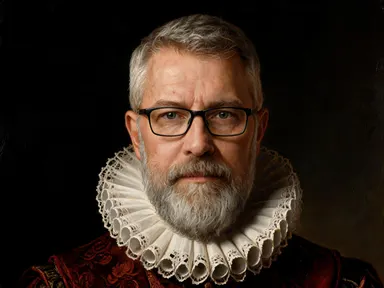
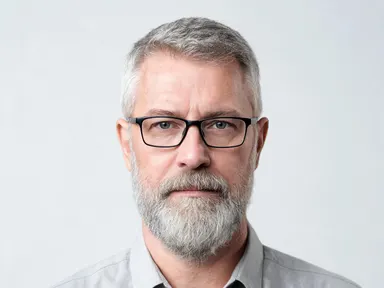
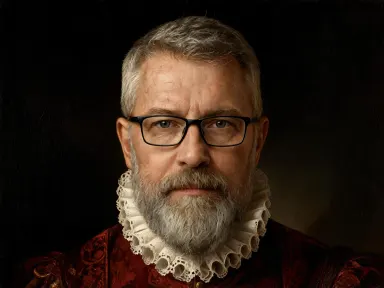
AI Portrait Styles transforms a single photo of any person into a fully realized artwork or collectible figure, keeping the subject recognizably themselves across more than thirty distinct library styles. Upload a JPG, PNG, WebP or GIF, pick a style from oil painting to vinyl toy to samurai armour, and the app handles the rest. An optional free text box lets you add one specific detail, a pose adjustment, a prop to include, or something to leave out, but the library choice alone is enough to get a striking result. It is built for individuals, creators, and anyone who wants a portrait that looks genuinely considered.
How to use this app
- 1
Upload your file. There is no prompt you have to write.
- 2
Pick a look from the visual library, add a note of your own if you want one, then press Generate.
- 3
Watch your result appear in the gallery within moments.
- 4
Download, share, or generate again with a new idea.
What you can make
Personalised gifts and keepsakes
A portrait rendered as a classical oil painting or a glazed porcelain figurine makes a memorable gift for birthdays, retirements or anniversaries. The app keeps facial likeness intact, so the recipient is immediately recognisable in the finished piece, even dressed in a Renaissance lace ruff or a dark red brocade doublet.
Social media profile and cover art
Stand out with a profile image that reflects a specific aesthetic. The cel shaded anime style, the pop art screen print and the cyberpunk neon portrait all produce bold, high contrast results that hold up as thumbnails and scale cleanly to banner dimensions at 1K resolution and above.
Character concept and cosplay reference
Writers, game designers and cosplayers can visualise a real person inside a specific costume and setting. Styles like the Norse warrior, the steampunk portrait and the superhero suit provide detailed costume, lighting and background reference that would take hours to commission or sketch by hand.
Collector toy and figure mockups
The vinyl collectible, action figure, bobblehead, polymer clay and carved wood styles render a person as a physical object with accurate skin tone matching. These mockups are useful for product ideas, social posts, or simply as a novel portrait format that audiences share freely.
Era and decade portrait series
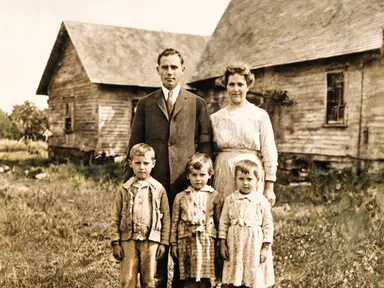
The eight decade styles, from the 1890s sepia studio photograph through to the 1980s mall glamour shot, let a single subject appear across a consistent visual timeline. Each style applies period correct costume, lighting and colour grade, making the series coherent without any manual editing between frames.
Shots to try
Tips for better results
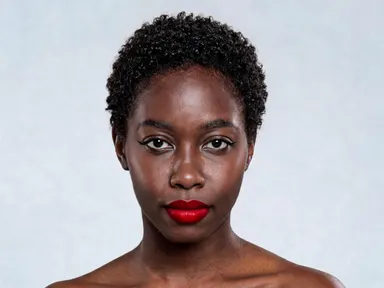
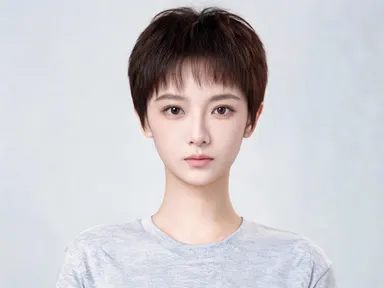
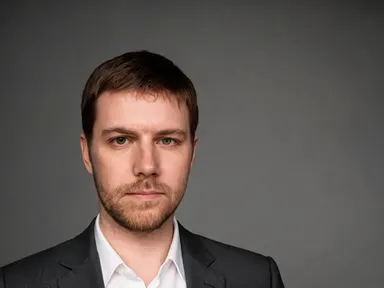
Use a well lit, front facing photo
The app keeps faces consistent across every style, and that consistency is strongest when the source photo shows the face clearly, with both eyes visible and minimal heavy shadow. A plain background in the upload helps the app focus on facial detail rather than separating the subject from a busy scene.
Let the library handle costume
Every style in the library includes a fully specified costume, setting and lighting. You do not need to describe these in the optional box. Save that box for small personal details: a specific accessory to include, a hairstyle to preserve, or an element from the background of the original photo to leave out.
Match the style to your output surface
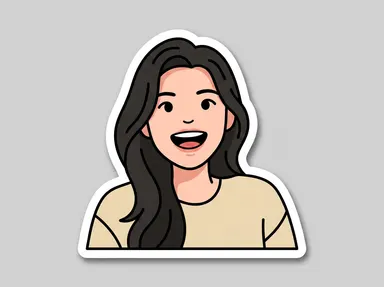
Styles with hard black outlines and flat colour, such as the comic book panel, the pop art screen print and the anime illustration, read well at small sizes and on screen. Painterly styles with fine texture, such as the oil painting and the watercolour, reward larger print sizes where the surface detail is visible.
Check skin tone in figure styles
The plush toy, action figure, bobblehead and porcelain figurine styles are designed to match the subject's own skin colour in the moulded or painted surfaces. A source photo with accurate, unfiltered colour produces the closest match, so avoid heavily filtered or colour graded uploads when choosing these styles.
When to choose this app
AI Portrait Styles is the right choice when you want the subject of a photo to remain consistently recognisable inside a dramatically different visual world, whether that is a painted artwork, a period costume portrait or a physical collectible figure. FLUX Kontext Pro edits images with text instructions, giving you open ended control over existing photos, and AI Camera Angle Changer reshoots a photo from a new point of view with the style unchanged. Neither is built around a curated library of complete costume, lighting and setting combinations designed specifically to transform a portrait while preserving likeness. When the goal is a finished, stylistically coherent portrait that looks deliberate rather than edited, AI Portrait Styles is the dedicated tool for that job.
Frequently asked questions
How closely will the output resemble the person in the uploaded photo?
The app is designed to keep facial features, skin tone and general likeness consistent across every style. Results are strongest when the source photo is well lit and shows the face clearly. Very small or partially obscured faces in the original upload will produce less precise likeness in the output.
Can I use a group photo, or does the app only work with one person?
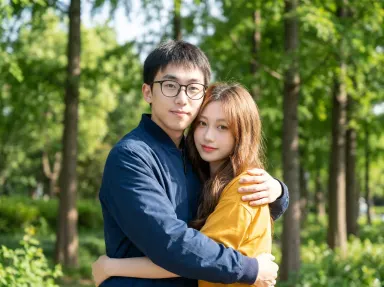
You can upload a group photo. The app will apply the selected style to the whole image, but likeness preservation is most reliable for clearly visible faces. If you want the strongest result for a specific person, a photo centred on that individual tends to produce a cleaner, more detailed output.
What does the optional free text box let me control?
The box accepts one short instruction alongside your library choice. Useful entries include a specific accessory to add or keep, a hairstyle instruction, a detail to omit from the background, or a pose note. The library style handles costume, setting and lighting, so the box is best used for personal details the library cannot anticipate.
Will the figure styles match the skin tone of the person in my photo?
Yes. The plush toy, action figure, bobblehead, porcelain figurine and similar styles are built to replicate the subject's actual skin colour in the fabric, paint or ceramic surface of the figure. For the closest match, use a source photo with natural, unfiltered colour rather than a heavily processed image.
Can I generate the same person in multiple styles to create a series?
Yes, and that is one of the most popular uses of the app. Upload the same source photo each time and select a different library style for each generation. Using a consistent source photo produces a coherent series where the subject is recognisable across every style, useful for a social media grid or a printed collection.
What file types can I upload, and are there size limits?
The app accepts JPG, PNG, WebP and GIF files. You can drag a file directly into the upload area or select one from your device. For best results, use a photo where the face occupies a reasonable portion of the frame. Very low resolution source images will limit the detail the app can preserve in the output.
How much does it cost?
Each generation costs 1 credit. New accounts get free credits to try it out.
Do I need any editing skills?
No. Upload your photo, pick the look you want from the library, and the app writes the full instruction for you behind the scenes. There is nothing to install and nothing to configure. A small optional box lets you add one line in your own words, but the app works without it.
Can I use the results commercially?
Yes. Content you generate is yours to use, subject to our content licenses.
How long does a generation take?
Most generations finish in under a minute, and you can watch progress live in the gallery.