Seedream v4.0 Edit vs v4.5 Edit: Same Price, Different Speed
Seedream v4.0 Edit and v4.5 Edit both cost 1 credit per image. A head-to-head comparison of speed, quality, and output across the two edit models.
Zero. That's the gap between Seedream v4.0 Edit and Seedream v4.5 Edit per image. Both cost one credit, so a thousand edits costs $100 either way. With price off the table, the question is which one returns the result you want, and how fast.
TL;DR
- v4.0 Edit: 1 credit ($0.10), 20-40s, the long-running pick for everyday edits
- v4.5 Edit: 1 credit ($0.10), 10-25s, better detail preservation and speed
- Both support natural language editing, object removal, and style transfer
- Use v4.0 for casual work where turnaround does not matter
- Use v4.5 when sharpness and detail preservation matter
- 10 free credits to test both at arteza.ai
The Core Difference
Seedream v4.0 Edit is the original model in ByteDance's edit family. It's accessible and "good enough" for the majority of edits people actually need.
Seedream v4.5 Edit is a generation newer. It's faster, sharper, and handles tricky edits (fine hair, complex textures, small objects) noticeably better. That jump costs nothing extra per edit.
Neither is better in the abstract. The right choice depends on how picky your audience is and how fast you need the result.
Try Seedream v4.0 Edit - simple AI image editing
AI image editing at just $0.10 per edit. Free credits, no card needed.
Try Seedream v4.0 Edit Free5 free generations · No credit card needed
Side-by-Side Specs
| Feature | Seedream v4.0 Edit | Seedream v4.5 Edit |
|---|---|---|
| Credits per edit | 1 | 1 |
| Price per edit | $0.10 | $0.10 |
| Generation time | 20-40 seconds | 10-25 seconds |
| Natural language editing | Yes | Yes |
| Object removal | Yes | Yes (finer detail) |
| Style transfer | Yes | Yes (richer) |
| Detail preservation | Good | Excellent |
| Best for | Everyday edits, beginners | Detail work, client jobs |
Quality Differences in Practice
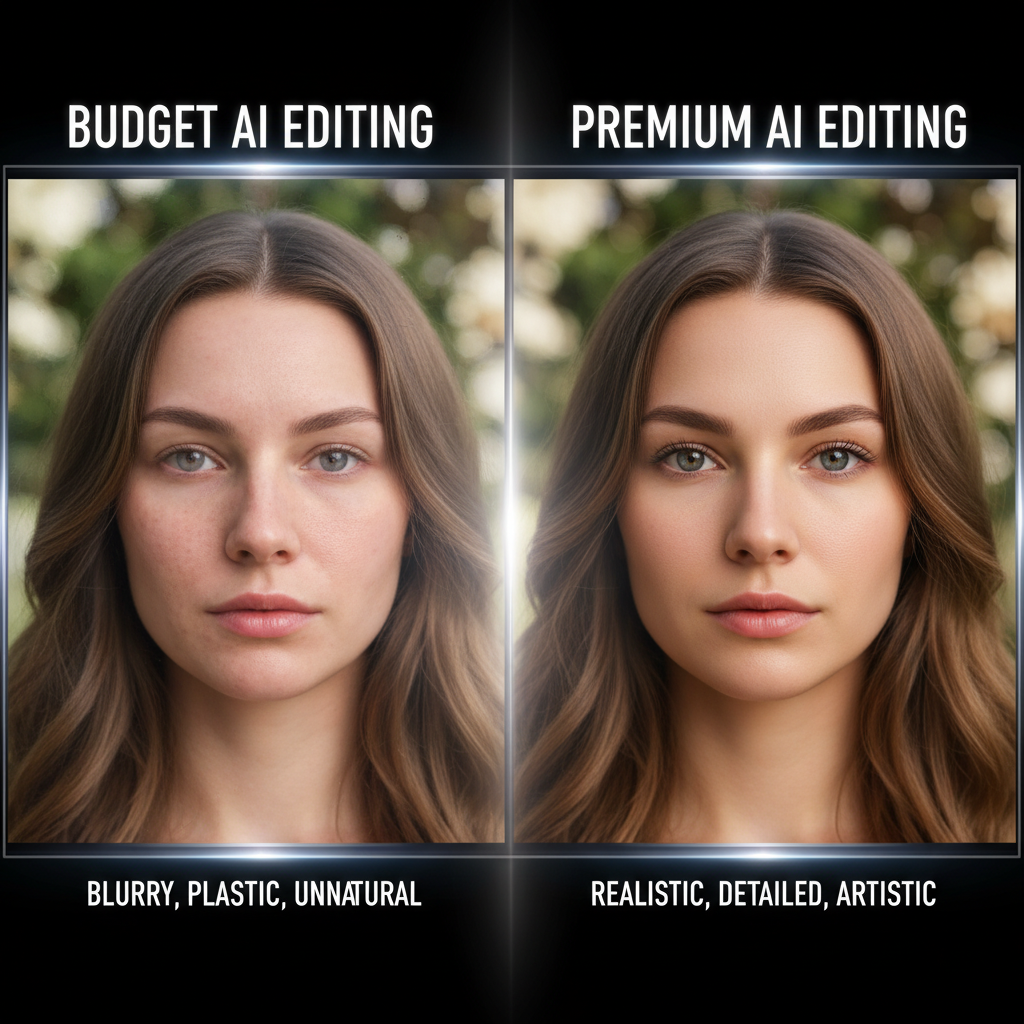
On casual subjects - landscapes, product shots on plain backgrounds, simple portraits - the output from v4.0 and v4.5 is often indistinguishable to the average viewer.
The gap shows up when edits get hard: fine strands of hair, small text on packaging, jewelry details, complex reflections, or edits on already-edited images. v4.5 preserves those details more faithfully. v4.0 can soften or lose them.
For a social media post seen on a phone for 1.2 seconds, nobody will notice. For a printed ecommerce catalog shot, the upgrade matters.
Speed Differences
v4.5 Edit typically returns in 10 to 25 seconds. v4.0 Edit takes 20 to 40 seconds. If you're iterating rapidly, the faster model saves real time. If you're batching overnight or running edits in the background, the speed difference doesn't matter.
Cost Over Volume
| Edits | v4.0 Total | v4.5 Total | Difference |
|---|---|---|---|
| 50 | $5.00 | $5.00 | $0 |
| 250 | $25.00 | $25.00 | $0 |
| 1,000 | $100.00 | $100.00 | $0 |
| 5,000 | $500.00 | $500.00 | $0 |
The columns are identical at every volume. There is no cost argument left, so pick on output and turnaround instead.
Want to start somewhere? Try Seedream v4.0 Edit here with 10 free credits.
When to Pick v4.0 Edit
Go with v4.0 Edit when:
- You batch overnight and latency does not matter
- The audience is casual (social, blog, thumbnails)
- You're new to AI editing and want a low-risk starting point
- You're doing straightforward edits - backgrounds, colors, simple removals
- You want to prototype before committing to a premium model
When to Pick v4.5 Edit
Go with v4.5 Edit when:
- You ship client-facing work that gets scrutinized
- Edits involve fine details - hair, textures, jewelry, small text
- Speed matters in your workflow
- The extra speed is free and the deliverable is worth the polish
- You want extra polish without jumping to Seedream 5.0 Edit
What About Seedream 5.0 Edit?
Worth mentioning for context: Seedream 5.0 Edit costs the same one credit but offers the fastest speeds (5-15s) and the best detail preservation of the three. If turnaround is what you care about, v5.0 is often the smart pick.
But v4.0 has the longest track record, and its behavior on everyday edits is the best documented of the three.
Start with v4.0 for 1 credit per edit
Test Seedream v4.0 Edit with free credits and see if it covers your needs.
Try v4.0 Edit FreeThe Honest Recommendation
If you're reading this and you're not sure, start with v4.0 Edit. It costs the same as the alternatives, the 10 free credits let you test it risk-free, and you can always upgrade to v4.5 or v5.0 later if you hit quality limits.
Most users never do. The v4.0 output is strong enough for the majority of real-world editing tasks, and switching only pays off when you have a clear, specific reason - like a client demanding print-ready sharpness or an image type that hits v4.0's weak spots.
Sign up, open the v4.0 playground, and edit a handful of your toughest images. If they come back clean, you have your answer.
Final Verdict
| Scenario | Pick |
|---|---|
| Most everyday editing | v4.0 Edit |
| Detail-heavy retouching | v4.5 Edit |
| Fastest possible edits | v4.5 or v5.0 |
| Longest track record | v4.0 Edit |
| Client-ready polish | v4.5 or v5.0 |
Good enough beats perfect when good enough ships. For most people editing most photos, Seedream v4.0 Edit is fast enough to matter and good enough to publish.
Try Seedream v4.0 Edit - Right Now
Upload your image on the create page to start editing.
5 free generations · No credit card needed